
Run your golf course crew without the Sunday-night chaos.
CartJockeys is web-based software that helps golf courses manage worker availability, build schedules faster, handle sub requests, run maintenance and daily checklists, and send shift text reminders — all in one place.
Whether you’re running carts, grounds, pro shop, range, or maintenance, CartJockeys gives managers and staff a cleaner way to stay in sync.
See availability, scheduling, and shift coverage in one walkthrough. Bring your course’s questions about setup and pricing.
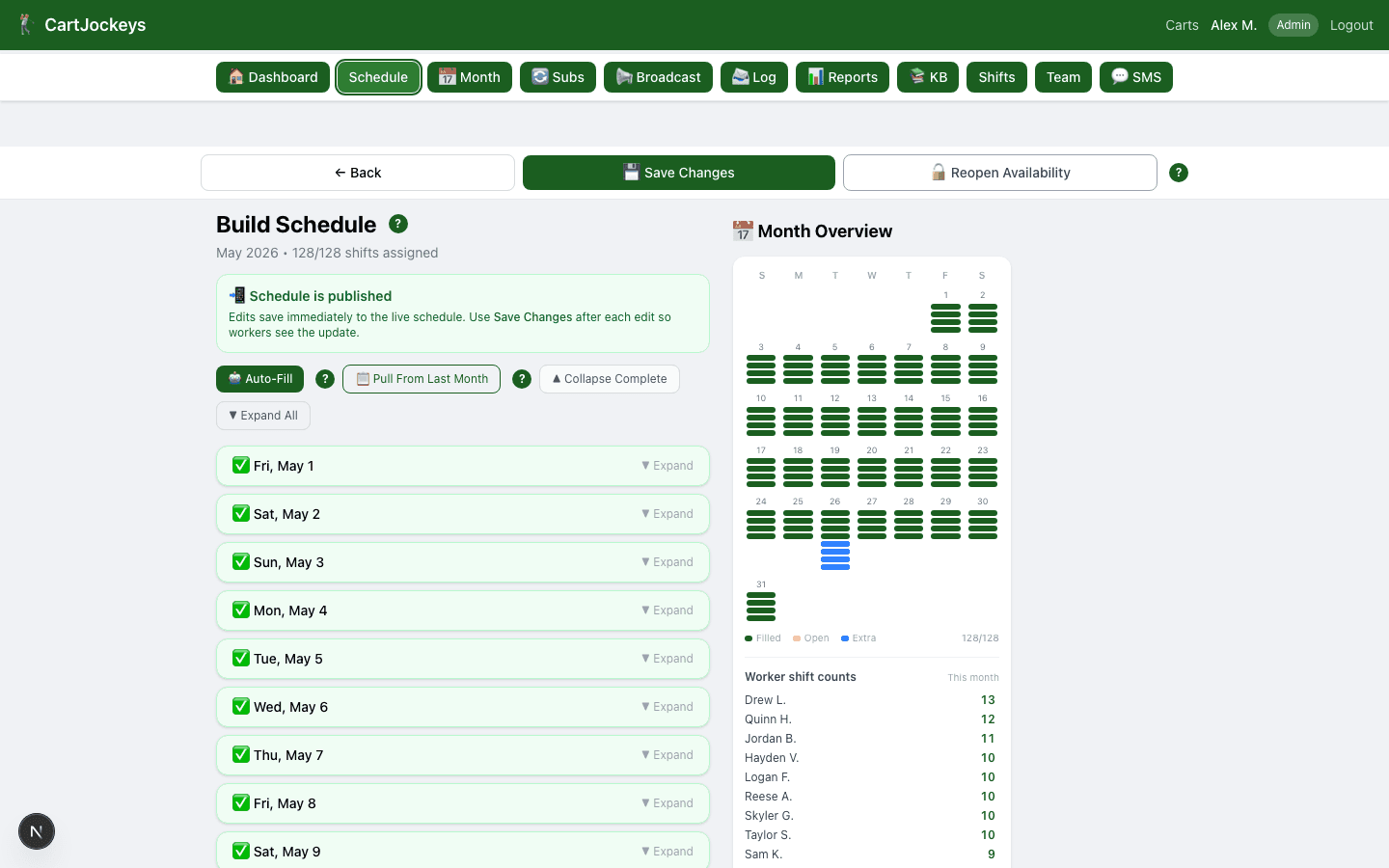
The weekly schedule builder — sample data shown.
Start with a better process. Use these free course resources.
Plan weekly staffing, standardize opening and closing, and collect seasonal availability. Download editable worksheets without creating an account.
Get the free templates →One place for the whole operation
Most golf course scheduling still runs on group texts, paper notes, and last-minute phone calls. CartJockeys replaces that with three connected pieces.
Scheduling
Collect worker availability, build the week with a drag-and-drop builder, and publish in minutes instead of spending Sunday night on paper and group texts.
See the workflow →Maintenance & operations
Department task boards for grounds and maintenance, opening and closing checklists, course closures, and equipment issues — tracked, assigned, and time-stamped.
See the workflow →Communication
Shift reminders, schedule changes, and sub requests go out as plain text messages. Broadcast to the whole course, one department, or a single shift in two taps.
See the workflow →See it in action
Real screens, sample (anonymized) data.
Build the week from actual availability
A drag-and-drop builder shows every shift and filters out workers who marked it unavailable, preventing known availability conflicts while tracking time-off and overtime.
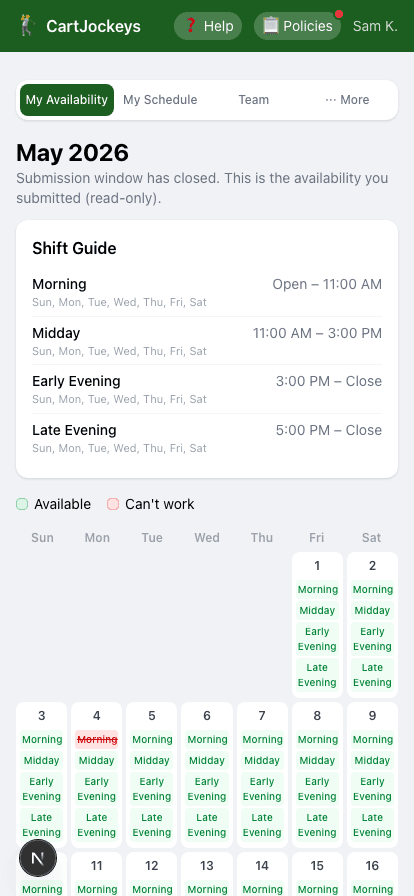
Workers tap a link — no app, no password
Each worker gets a private link they bookmark once. They mark availability, see shifts, and request subs from their phone. Great for a mostly high-school, mostly-mobile crew.
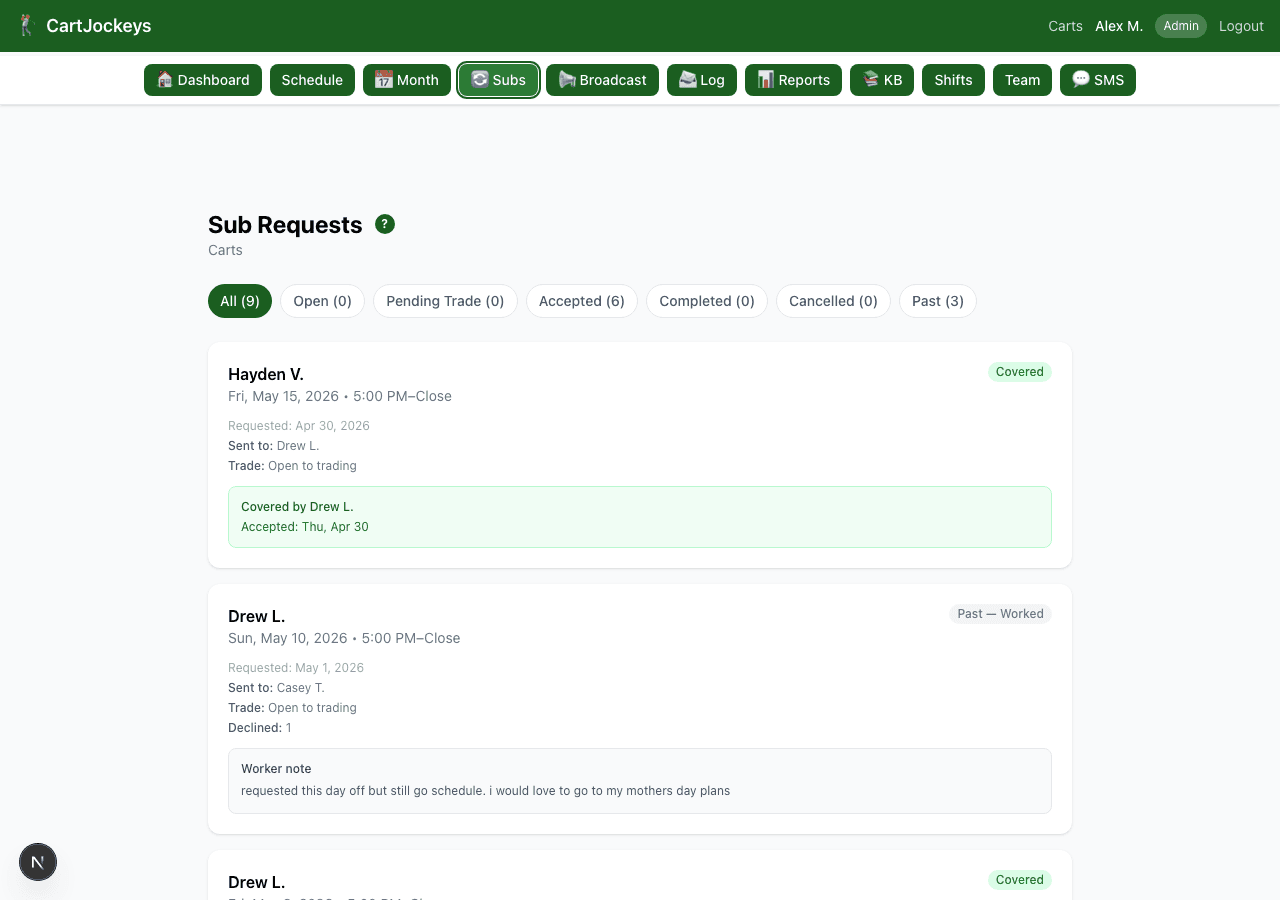
Subs cover themselves
A worker who can’t make a shift taps “request sub” and only the free coworkers in that department get pinged. First to claim it gets the shift; the schedule updates itself.
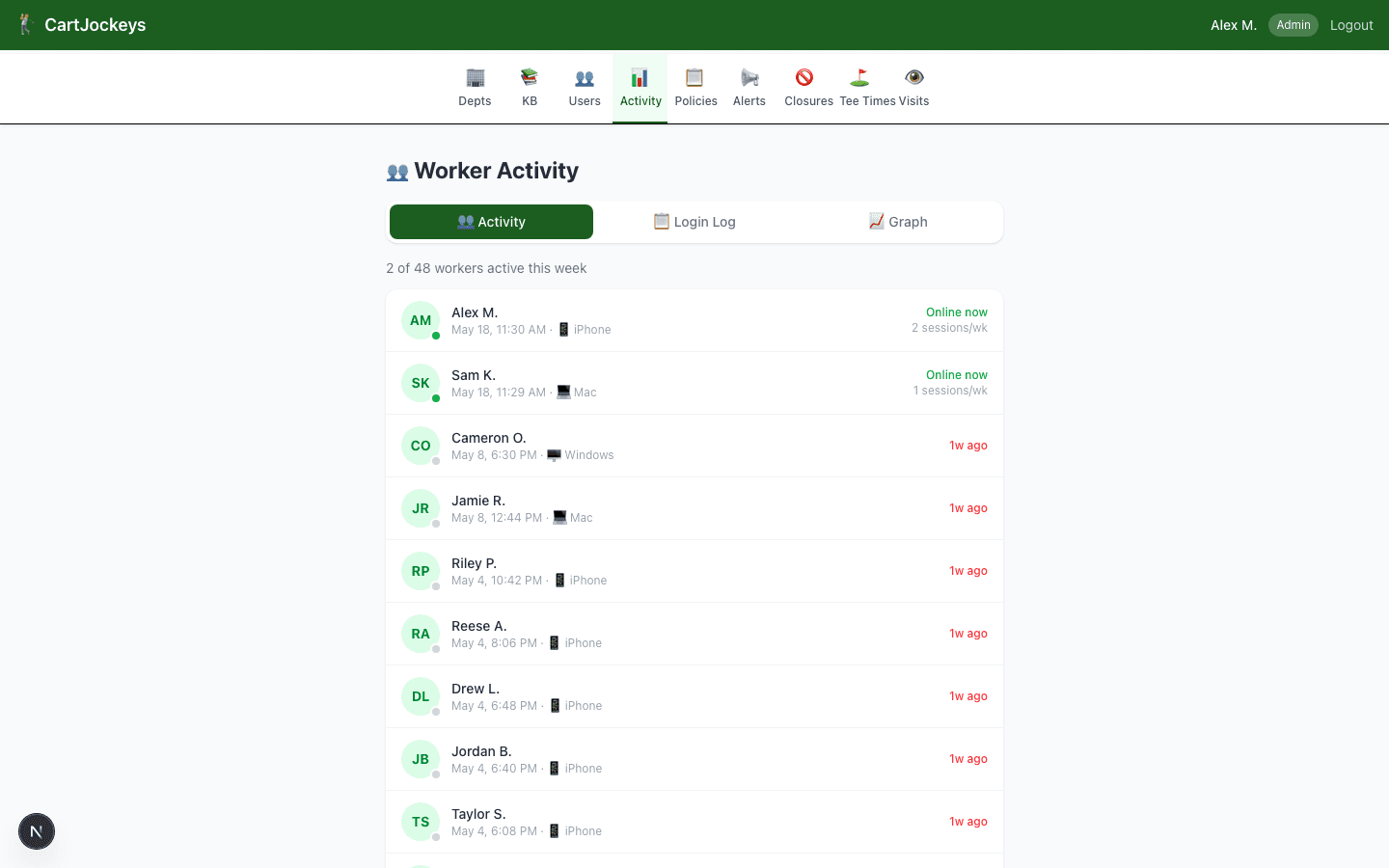
Maintenance, checklists & accountability
Opening/closing checklists, a maintenance task board, policy acknowledgements, and an activity feed give supervisors a real record of who did what, and when.
Help lost golf equipment find its way home.
Golfers scan a course-branded QR code, enter their name and phone number, and a durable identification label prints right in the pro shop. No app or account is required.
- Course logo, photography, wording, and QR experience match your brand
- Compact thermal labels identify rangefinders, speakers, and other valuables
- Simple pro-shop printer setup with usage controls and reporting

JORDAN SMITH | (801) 555-0142
DAVIS PARK GOLF COURSE · CartJockeys.com
A branded mobile experience for the golfer and an on-demand thermal label at the course.
Who it’s for
- • Public & municipal golf courses
- • Country clubs
- • Multi-department course operations (carts, pro shop, grounds, range, maintenance)
- • Managers who want less admin overhead and fewer scheduling mistakes
Built for the real world
- • Employees are mobile-first — no app to download
- • Managers need speed and simplicity
- • Scheduling changes happen constantly
- • Communication has to be fast and clear
- • Not everyone wants another complicated app to learn
How text messaging works
CartJockeys sends work-related scheduling texts to golf course staff — shift schedules, availability requests, sub-request alerts, and supervisor broadcasts. A worker is added by their supervisor using the number the worker gave their employer for scheduling, and every new worker must review the SMS terms and check a consent box before receiving any CartJockeys text messages. Message frequency varies (typically 2–8 per week). Message and data rates may apply. Reply STOP to opt out, HELP for help.
See CartJockeys with your course in mind
Ask for a walkthrough of availability, scheduling, and shift coverage. Tell us your course and the problem you want to solve; we can discuss setup and pricing together.
Send your request here and we will follow up by email. Prefer to write directly? Email terryaiassist@gmail.com.